Managed IT services · Southwest Florida small business
The Managed Service Provider for Small Business That Won’t Ghost You
Other MSPs leave you on read. We pick up.
NerdSquad Managed IT Services is a Managed Service Provider (MSP) for small businesses in Naples, Fort Myers and across Southwest Florida. You get two tiers of support instead of three, nine ways to reach a real technician, and a local team that shows up when remote won’t cut it.
2 tiers of support, not 3
9 ways to reach a real tech
Naples-based, onsite across SWFL
Industry-leading SLA
Your IT provider
Illustration
The server’s down and nobody can log in 😬
Switched to NerdSquad. Same problem, new ending:
The server’s down and nobody can log in 😬
•••
On it. A tech is connecting now, and we’ll call you with an update.
You can breathe. We’ve got it. 👍
“Your call is important to us.”
“Did you try the portal?”
“Let me escalate that to Tier 3.”
“That’s the vendor’s problem.”
“We’ll circle back.”
“Please hold.”
“Your call is important to us.”
“Did you try the portal?”
“Let me escalate that to Tier 3.”
“That’s the vendor’s problem.”
“We’ll circle back.”
“Please hold.”
01 · IT ghosting, defined
You shouldn’t need a séance to reach your IT provider.
Most small businesses don’t fire their MSP over one big failure. They leave after a hundred small silences. Here’s what ghosting looks like, and what we do instead.
👻 Ghost move · The ticket black hole
“We’ve received your request.” Then silence.
✓ The NerdSquad move
A real person answers, opens the ticket for you and tells you what happens next. The ticket closes when the problem is actually gone.
👻 Ghost move · Tier ping-pong
Tier 1 reads a script, Tier 2 asks the same questions, Tier 3 calls back tomorrow.
✓ The NerdSquad move
Two tiers, not three. The first person you reach is a technician who can fix things, backed by senior engineers.
👻 Ghost move · Portal or nothing
Log in, pick a category, fill out a form, wait for an auto-reply.
✓ The NerdSquad move
Call, text, email, chat, Teams, portal and more. Nine ways in, and you never need a login to ask for help.
👻 Ghost move · “That’s the vendor’s problem”
Your internet or phone provider is down, so you’re on hold for two hours.
✓ The NerdSquad move
We call the vendor, speak their language and ride the ticket until it’s fixed.
👻 Ghost move · The disappearing act
You only hear from them when the invoice shows up.
✓ The NerdSquad move
Regular check-ins and business reviews, so we’re planning ahead with you instead of reacting.
👻 Ghost move · Hostage documentation
Passwords and network details live in someone’s head, or their system.
✓ The NerdSquad move
We document your whole environment, and it’s yours. If you ever leave, you take it with you.
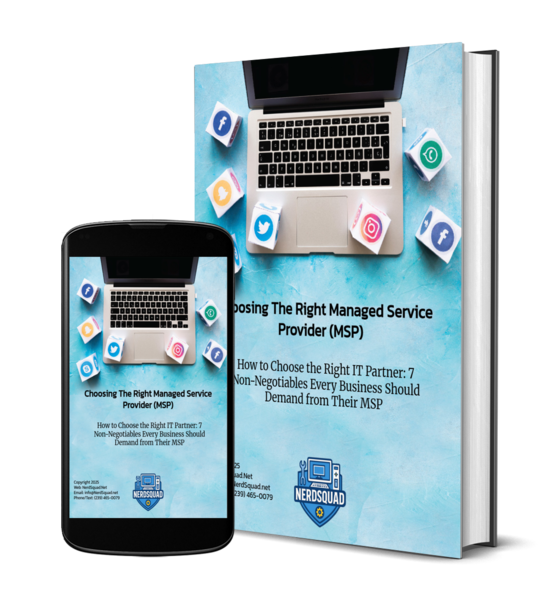
Free download · The IT Ghosting Checklist
Is your IT provider ghosting you? Five questions will tell you.
The 5-Point IT Ghosting Checklist spots the warning signs that your provider has quietly checked out, and it comes with a ready-to-send message to get their attention. Use it on your current MSP, or on us.
Opens a quick form · No spam
02 · Two tiers, not three
Fewer handoffs. Faster fixes. Less repeating yourself.
Most help desks run three tiers: a front line that logs your issue, a middle tier that tries a few things, and the people who can actually fix it at the end of the line. Every handoff adds a wait and another round of “can you describe the problem again?” We cut out a tier.
The typical MSP · 3 tiers
You: “Nobody can print and payroll is due.”
Tier 1 · logs a ticket, reads a script
Handoff ↓ “I’ll escalate this.”
Tier 2 · asks the same questions again
Handoff ↓ “Tier 3 will call you back.”
Tier 3 · finally fixes it, tomorrow
NerdSquad · 2 tiers
You: “Nobody can print and payroll is due.”
Tier 1 · a technician who knows your setup connects and fixes it
Only if it’s truly complex ↓
Tier 2 · a senior engineer, already briefed
Done. You never repeated yourself.
The first person is a fixer
Our front line is made up of U.S.-based technicians who can remote in and solve the problem, not script readers who log it and move on.
Context travels with the ticket
If an issue does need a senior engineer, the notes come with it. You explain the problem once.
Built on an industry-leading SLA
Response commitments are written into your agreement, and our monitoring often spots trouble before you pick up the phone.
03 · Nine ways to reach a real tech
Reach us however you want. We’re not picky.
The longer it takes you to tell us something’s broken, the longer it takes to fix it. So we built support around the way you already work. Phone person? Call. Texter? Text. Living in Teams? Message us there.
01
📞
Call
A real person answers and opens the ticket for you. The fastest path for everyday issues.
02
💬
Text
Text 239-465-0079. Same humans, no phone tree.
03
✉️
Email from your registered address and a ticket opens automatically. Put CRITICAL or URGENT first in the subject line to flag priority.
04
🗨️
Live chat
Chat from our website, the support portal or the billing portal. During business hours you usually get a live person.
05
🤖
AI assistant
The assistant on nerdsquad.net answers common questions, searches our knowledge base and opens a ticket when you need a human.
06
🧾
Support portal
Start a ticket from the + button without logging in, or sign in to see your full ticket history.
07
👥
Microsoft Teams
Already living in Teams? Send us a quick message there.
08
🧰
Your onsite tech
Our tech is already at your office and something else comes up? Just tell them. They’ll handle it.
09
🕶️
Show us with AR
Augmented reality lets you point your phone at a blinking router or a strange screen, and we guide you through it visually.
10?
📡
Sometimes we reach you first
Our monitoring watches your systems around the clock and opens tickets on its own, so we’re often working on a problem before anyone notices.
Pro tip for real emergencies
Server down, ransomware, or a register outage mid-rush? Open a ticket with a priority (email with CRITICAL in the subject, the portal or the AI assistant), then call or text so a human knows it’s urgent. You get structured routing and a person on it.
Try us
Nine ways to reach a real tech. This is the easiest one: say hello.
04 · What’s in a NerdSquad managed IT plan
Everything a small business needs to stay running and secure.
Two MSPs can use the same name and deliver completely different things. Here’s what small business managed IT services from NerdSquad actually include.
Mn
24/7 monitoring (RMM)
Every computer, server and network device is monitored around the clock, so we catch failing drives and odd behavior early.
Hd
Help desk with an SLA
Real technicians, nine ways to reach them, and response commitments written into your agreement.
Pt
Patch management
Windows, third-party apps and firmware updated on a schedule that stays out of your workday.
Ed
EDR on every device
Endpoint detection and response watches behavior, not just virus lists, and can isolate an infected laptop.
Bk
Backups we actually test
Encrypted, offsite backups on a schedule that fits your business, with restores tested before you need one.
Vn
Vendor wrangling
Internet, phones, line-of-business apps: we make the call and ride the ticket to resolution.
365
Microsoft 365 management
New hires ready on day one, departures locked out the same day, and your tenant security hardened.
Nw
Network management
Firewalls, switches, Wi-Fi and VPNs monitored, updated and documented.
Sa
Security awareness
Phishing simulations and practical training so your team spots the scam before it costs you, depending on your plan.
What isn’t included: project work like office buildouts, new servers or big migrations is quoted separately. We tell you what’s in and what’s out before you sign, not after.
How small businesses usually handle IT
The four ways to do IT. Only one lets you forget about it.
What matters
DIY / the office “tech person”
Break-fix shop
One in-house hire
NerdSquad MSP
Someone answers when it breaks
·
◐
◐
✓
Problems caught before you notice
·
·
◐
✓
Security tools on every device
·
·
◐
✓
Covered during vacations and sick days
·
◐
·
✓
Documentation you own
·
·
◐
✓
Onsite help when remote won’t cut it
✓
✓
✓
✓
Your team gets back to their real jobs
·
◐
✓
✓
✓ yes ◐ sometimes · rarely
05 · Why small businesses need an MSP
You didn’t start a business to troubleshoot printers.
Small businesses face the same threats as big companies, usually without an IT department to handle them. Attackers know it. A Managed Service Provider gives you the monitoring, security and help desk of a full IT team, sized for a business with a handful of computers or a hundred.
Common triggers we hear: a security scare, the IT person gives notice, growth outpaces the old setup, or the current provider stops calling back
Your team stops losing hours to tech problems
Cybersecurity handled by people who do it every day
88%
of breaches at small and midsize businesses involved ransomware, compared with 39% at larger organizations.
Source: Verizon 2025 Data Breach Investigations Report (reporting period Nov 2023 to Oct 2024).
Translation: small businesses are the main course, not the side dish. Tested backups, EDR and MFA are what keep a ransomware email from becoming a ransom payment.
06 · Switching is easier than you think
From “we’re stuck” to fully managed in about 30 days.
Worried about the awkward breakup with your current provider? We coordinate the handoff. Here’s what the first month looks like.
0
An honest conversation
A plain-English discovery call, not a sales pitch. We learn what you run and what’s been frustrating, and if we’re not the right fit, we’ll say so.
1
Week 1 · Audit
Monitoring goes on every device, and we map your computers, network, Microsoft 365, backups and vendors, including the problems nobody knew about.
2
Week 2 · Fix the scary stuff
Missing security, accounts without MFA, backups that stopped running. We fix the critical findings, deploy EDR and brief you on what we found.
3
Weeks 3–4 · Document and meet the team
We document everything (and it’s yours), then show your staff the nine ways to reach us and what to expect when they do.
About 90 days in, we sit down for a business review: what happened, what’s coming, and what should change.
Ready to switch?
We’ll walk you through the move from your current provider, step by step.
07 · Local, for real
A Naples MSP that actually shows up.
Our office is in Naples, and we serve small businesses across Collier and Lee counties. Most issues get fixed remotely. When they need hands on the equipment, a tech comes to you. We also plan around Southwest Florida life: hurricane season, power blips and the seasonal rush.
Small business, specific needs
We speak your industry, too
Plenty of Southwest Florida small businesses answer to extra rules or run specialized software. We have dedicated pages for the most common ones.
08 · Questions
Small business MSP FAQ
What is a managed service provider for small business?
A Managed Service Provider (MSP) runs and protects your IT for an ongoing monthly plan instead of billing you every time something breaks. For a small business, that means monitoring, security, backups, patching, Microsoft 365 management and a help desk your team can actually reach, without hiring a full IT department.
How much do managed IT services cost for a small business?
It depends on how many people and devices you have, what software you run and whether you have compliance requirements. We quote after a short discovery conversation, and we spell out what’s included and what isn’t before you sign. Project work like new servers or office buildouts is quoted separately.
What does two-tier support mean?
Most help desks use three tiers, and your issue gets passed along until it reaches someone who can fix it. We use two. The first person you reach is a technician who can connect and solve the problem, with senior engineers behind them for the complex stuff. Fewer handoffs, and you don’t have to repeat yourself.
How do I get support from NerdSquad?
Nine ways: call, text, email, live chat, the AI assistant on our website, the support portal (no login needed to start a ticket), Microsoft Teams, telling your onsite tech, or showing us the problem with augmented reality. For critical issues, open a ticket with a priority first, then call or text.
How fast do you respond?
Managed IT clients are backed by an industry-leading SLA written into the agreement, and our monitoring often catches problems before you do. The SLA is the floor, not the ceiling.
My current MSP is ghosting me. How do we switch?
Start with a conversation. We’ll coordinate the handoff with your current provider, audit your environment, fix the critical issues first and document everything. Most clients are fully managed in about 30 days. Grab the IT Ghosting Checklist if you want to sanity-check your current provider first.
Is my business too small for an MSP?
No. We talk with businesses of every size, from small offices to multi-location companies, and recommend only what fits your situation and budget.
Do you come onsite?
Yes. Our office is in Naples, and we serve businesses across Collier and Lee counties. Most issues are fixed remotely, and when something needs hands on the equipment, we send a technician.
Who am I talking to when I call?
A U.S.-based NerdSquad technician, not an overseas call center or a script reader. We authenticate anyone requesting changes to your systems, so reach out from your registered email or number.
What happens to our documentation if we ever leave?
It’s yours. We document your network, devices, vendors and recovery procedures during onboarding, and if you ever move on, you take it with you. No hostage passwords.
Want the details? From our knowledge base
Last step · Say hello
Get an MSP that answers. Starting now.
Tell us what’s going on: a provider who stopped calling back, an IT person who just left, a security scare, or a business that outgrew its setup. We’ll reply with honest advice and a practical next step.
A real conversation with a local Naples team
Priorities in plain English, biggest risks first
No pressure. If we’re not the right fit, we’ll say so
NerdSquad Managed IT Services · Naples, FL · 239-465-0079
Tell us about your business
A real person reads every message. Please don’t send passwords or account numbers.