
Managed Service Provider (MSP) for Southwest Florida law firms
Managed IT Services for Lawyers
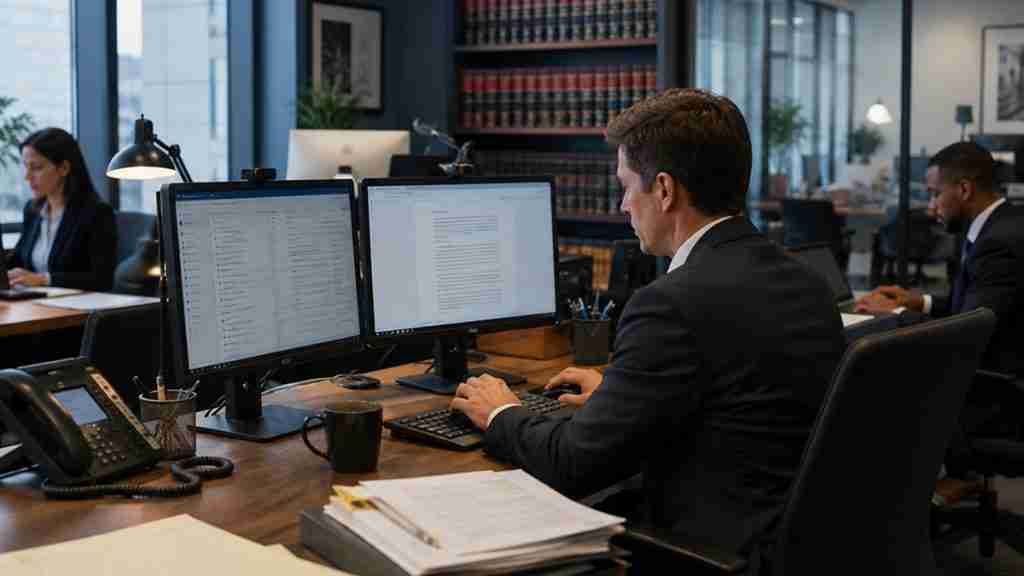
Privilege, deadlines and billable hours all run on technology. NerdSquad Managed IT Services keeps attorneys and staff connected, client files protected and systems ready for filing day, with a local Naples team and an industry-leading SLA behind every request.
Fewer tech emergencies before your next
filing deadline
Based in Naples, Florida
Serving Southwest Florida
Cybersecurity-first
Industry-leading SLA
Privileged & Confidential
✓
Client email protected
Filtering and extra sign-in checks
✓
Devices patched
Updates on your schedule, not mid-hearing
✓
Backups running
Matter files safe if a laptop isn’t
Litigation
Family law
Estate planning & probate
Real estate closings
Personal injury
Business & corporate
Immigration
Criminal defense
Elder law
Solo practitioners
Managed IT, translated
Managed IT services for lawyers, without the billable-hour tech support
Managed IT means a Managed Service Provider (MSP) runs, monitors and protects your firm’s technology on an ongoing basis, so problems get caught before they land on an attorney’s desk. For a law firm the goal is simple: the systems behind privilege, deadlines and billing stay boring.
That is different from calling someone after something breaks. Break-fix IT arrives once the discovery deadline has already passed. Managed IT handles the unglamorous work in advance: patching, backups, access reviews, email security and the software your firm actually runs on.
Think of it as a paralegal for your technology. It does the checking so you don’t have to.
Reactive IT (the usual)
✕
You learn the server is down when the paralegal tells you
✕
Patches wait until they become urgent
✕
Nobody owns the cyber insurance questionnaire
✕
Software vendors point fingers while you sit on hold
✕
A new hire’s laptop arrives after their start date
Managed IT with NerdSquad
✓
Problems flagged before they turn into deadlines
✓
Devices patched and protected on a schedule
✓
Security controls documented for insurers and clients
✓
We coordinate with your software vendors for you
✓
New attorney and staff setups planned before day one
A day in the life
A Tuesday at your firm, and where the IT fits in
You don’t think about IT until it interrupts something that matters. Here is where technology shows up in a typical attorney’s day, and what we do so it stays out of the way.
7:45 AM
The filing window
The e-filing portal is open, the brief is a PDF, and the laptop wants to install updates. We keep workstations patched on a schedule and documents backed up, so filing day is about the filing, not the machine.
9:15 AM
Client email on a phone
Privileged messages travel on mobile devices. Mobile device protection and extra sign-in checks help make a lost phone an inconvenience instead of a disclosure.
10:40 AM
The wire-instructions email
A message that looks like opposing counsel or a title company asks for revised wire instructions. Email filtering and sign-in protection catch a lot of it. A call-back habit catches the rest.
1:00 PM
The remote hearing
Video hearings and depositions need a camera, microphone, connection and audio that work the first time. We support the equipment and the setup, so the only one being cross-examined is the witness.
3:30 PM
Matters, documents and who can see them
Access should follow the matter: the right people in the right folders and no one else. We manage permissions, new hires and departures so conflicts and ethical walls aren’t held together by hope.
5:45 PM
The time entries
Billing and practice-management software has to be up at the exact moment everyone remembers to log their time. When it isn’t, we coordinate with your software vendor so you’re not the one on hold.
What we manage
IT support for law firms, built around how attorneys work
One local team behind the technology your attorneys and staff use every day, from the help desk to the backup that matters the one time you need it.
Help desk for attorneys and staff
A real person who knows your firm’s setup answers, backed by an industry-leading SLA. Fixes are planned around your calendar, not the other way around.
IT helpdesk services →Secure email and privileged communications
Email filtering, phishing defense and sign-in protection for the inboxes where client confidences live.
Cybersecurity services →Endpoint protection
Every laptop and desktop is monitored for ransomware and suspicious activity, so one clicked link doesn’t reach the whole file server.
Endpoint detection and response →Backup and recovery for matter files
Client files backed up off-site, with a recovery plan built around what your firm can’t afford to lose or wait for.
Secure backup and compliance →Microsoft 365 and document management
Email, Teams, SharePoint and OneDrive managed with permissions that follow the matter, plus support for the document platform your firm already uses.
Microsoft 365 support →Practice-management and billing software
Whether your firm runs a platform like Clio, MyCase or NetDocuments, we coordinate with the vendor when something breaks mid-matter.
Managed IT services →Secure remote and courthouse access
Multi-factor sign-in, secure remote access and mobile device policies, so a hallway at the courthouse is as protected as your desk.
Talk to us about remote access →Cyber insurance and client questionnaires
Insurers and corporate clients ask what controls you run. We help implement and document them, so the questionnaire is a checklist instead of a scramble.
IT consulting →Security awareness training
Short, practical training that helps attorneys and staff spot phishing, spoofed wire requests and other tricks aimed at law firms.
Cybersecurity services →Not sure what your firm needs? Talk through your setup with a local team.
Wire fraud and trust accounts
Your trust account is a target. Your inbox is the front door.
Law firms move client money at exactly the moments when everyone is in a hurry: closings, settlements, retainers. That is why scammers impersonate clients, title agents and even opposing counsel by email. Good IT lowers the odds. Good process catches what slips through. You need both.
What we help put in place
✓
Multi-factor authentication on email and cloud accounts
✓
Email filtering that flags spoofed domains and lookalike senders
✓
Alerts for suspicious mailbox rules and unusual sign-ins
✓
Encrypted file sharing instead of sensitive documents in plain email
✓
Security awareness training built around real requests: new bank details, urgent wire changes, payoff letters
What your firm’s process should include
✓
Confirm any change in wire instructions by phone, using a number you already had
✓
A second approver for trust-account disbursements
✓
A short, regularly reviewed list of who can reach trust-account systems
✓
A no-blame way for staff to report a message that looks wrong
✓
Knowing who to call at your bank, and how quickly, if a transfer goes to the wrong place
NerdSquad is your IT partner, not your ethics counsel or your bank. We help you implement technical safeguards and support your process, but no provider can promise a scam attempt will never reach your inbox. What your trust-accounting rules require is a question for your firm’s ethics counsel and The Florida Bar.
The rules behind the tech
Technology is now part of a lawyer’s duty of care
Bar rules do not tell you which firewall to buy. They do expect reasonable care with client information, and that care depends on the systems underneath it. Here is where IT shows up in rules and opinions you already know.
Fla. R. Prof. Conduct 4-1.1
Competence includes technology
The comment to Florida’s competence rule includes understanding the benefits and risks of the technology you use. A managed IT partner tracks those risks so you can track your clients’ matters.
Fla. R. Prof. Conduct 4-1.6(e)
Reasonable efforts to protect client information
Lawyers must make reasonable efforts to prevent inadvertent or unauthorized disclosure of, or access to, information about a representation. Encryption, access controls and secure email are how firms show those efforts in practice.
Fla. R. Prof. Conduct 4-5.3
You supervise your vendors, too
Nonlawyer assistants need appropriate supervision, and that idea extends to the outside providers who handle your data. A good MSP documents what it does and welcomes your questions about it.
Florida Ethics Opinion 12-3
Cloud storage is allowed, with care
The Florida Bar’s opinion on cloud computing says lawyers may use cloud services when they take reasonable steps to keep confidential information safe, including understanding how the provider protects it.
ABA Formal Opinion 477R
Match the safeguard to the sensitivity
Lawyers should weigh how sensitive the information is and use appropriate protections, such as encryption or multi-factor authentication, when client information travels electronically.
ABA Formal Opinion 483
Have an incident plan before you need one
Lawyers who learn of a breach have duties to stop it, assess it and consider client notification. A written response plan makes those first hours far less chaotic.
These summaries explain why IT matters to a law practice. They are not legal or ethics advice, and NerdSquad is not a law firm. Check the current rule text and ask your firm’s ethics counsel or The Florida Bar’s ethics hotline what applies to you.
Confidentiality starts with IT
Let’s review how your firm protects client files, email and remote access.
Who we work with
Built for the way your firm actually practices
A three-attorney family law office and a growing litigation firm do not need the same IT. We start with how you work, then build the support around it.
Solo attorneys and small firms
You are the lawyer, the office manager and, unofficially, the IT department. We take that third job off your desk, with a real person to call and a plan that grows with you.
Growing multi-attorney firms
More attorneys means more accounts, devices, matters and access rules. We standardize onboarding and offboarding, tighten permissions by team or matter, and keep documentation current.
Practice-specific workflows
Estate planning, real estate closings, family law, litigation, immigration, corporate. Each leans on different software and deadlines. We learn yours, then support them.
Local IT for Southwest Florida law firms
Naples-based, and at home in Southwest Florida practices
NerdSquad Managed IT Services is based in Naples, and Southwest Florida is where we work. When a problem needs hands, we can be onsite. When it doesn’t, most support happens quickly and remotely.
Practices here have their own rhythm: seasonal clients, filings in Collier and Lee County, closings that can’t wait, and a hurricane season that turns “what if the office is closed?” into a real planning question. We help firms build for it with cloud-based email and files, tested backups, secure remote access, and a plan for the day the office or the internet is down.
We can’t promise how a storm will affect any system. We can help make sure your practice isn’t tied to a single computer or a single building.
What local means for your firm
✓
One office, in Naples, and a team that already knows your setup when you call
✓
Onsite help for workstations, networking, Wi-Fi, printers and scanners
✓
Remote-first support for everyday requests, so small problems stay small
✓
Continuity planning that takes hurricane season seriously without the drama
Serving law firms across Southwest Florida
Getting started
Three steps, and none of them involve a subpoena
Switching IT providers should not feel like litigation. Here is what the first few weeks look like.
1
Talk it through
A short conversation about your firm: size, practice areas, the software you live in and what is frustrating you now. Plain English, no pressure.
2
Review your setup
We look at how email, devices, backups and access are configured today and tell you plainly what is solid, what is risky and what can wait.
3
Onboard around your calendar
We plan the transition around your filing dates and hearings, then stay on as your day-to-day IT partner.
Straight answers
Managed IT for lawyers: questions we hear most
What are managed IT services for lawyers?
Managed IT services for lawyers are ongoing, proactive IT support delivered by a Managed Service Provider (MSP): help desk, device and account management, email and cloud security, backups and planning, all shaped around how law firms work. Instead of paying for emergencies, you get a partner who keeps your firm’s technology running and protected, and who already knows your setup when you call.
How is managed IT different from calling an IT person when something breaks?
Break-fix support starts after the problem, which in a law office often means after the deadline. Managed IT works before it: maintenance, patching, security controls and backups are handled continuously, and requests go to a team that already knows your environment. You spend less time explaining and less time down.
Can you help protect our trust account and clients’ money from wire fraud?
We can put strong layers in place: multi-factor authentication, email filtering, encrypted file sharing and security awareness training. No provider can promise a scam attempt will never reach your inbox, so we also help you set up a simple verification routine, such as confirming changes to wire instructions by phone using a number you already had.
How do you help protect attorney-client privileged information?
Privilege depends on confidentiality, and confidentiality depends on access. We help by managing who can reach which accounts and files, requiring multi-factor authentication, securing email and file sharing, and keeping devices patched and protected. Your firm decides what is privileged; we help make sure only the right people can get to it.
Does using cloud services like Microsoft 365 create ethics problems?
Not by itself. Florida Ethics Opinion 12-3 says lawyers may use cloud computing when they take reasonable care to protect client confidentiality. We help you configure Microsoft 365 and other cloud tools with sensible security controls and document them. What your specific obligations are is a question for your firm’s ethics counsel or The Florida Bar.
Do you support legal software like practice management, document management and billing?
We support the technology around your legal software: devices, networks, accounts, backups and the connections between systems. When something needs the software vendor, we coordinate with them so you are not the go-between. Tell us which platforms you use and we will confirm how we would support them.
What happens when an attorney or staff member joins or leaves?
New attorneys and staff get accounts, devices and access set up before their first day. When someone leaves, we shut off access cleanly so client files stay with the firm. Both follow a checklist, so nothing depends on someone remembering.
How fast will you respond if something breaks before a filing deadline?
Our support is backed by an industry-leading SLA. Tell us what is on the line and we will move quickly and keep you updated on exactly where things stand. The details of coverage are spelled out in your agreement. We also plan upgrades and maintenance around your calendar so they do not land on filing day.
Can attorneys work securely from home, from court or while traveling?
Yes. We set up secure remote access, multi-factor authentication and managed devices so attorneys get the same protections at a kitchen table or a courthouse hallway as they do at the front desk. The right setup depends on how your firm works, and we will walk through the options with you.
Do you work with law firms outside Naples?
Yes. Our only office is in Naples, and we serve law firms across Southwest Florida, including Fort Myers, Cape Coral, Estero, Bonita Springs and Lehigh Acres. Most support happens remotely, and we come onsite when the work is hands-on.
How much do managed IT services cost for a law firm?
It depends on how many attorneys and staff you have, how many locations you run and which protections you need. We will talk through your setup and give you a clear recommendation before you commit to anything. Contact us for a conversation about what fits.
How do you help us prepare for hurricane season and power outages?
We focus on practical continuity: cloud-based email and files, off-site backups, secure remote access and a plan for what your team does when the office or the internet is down. We cannot promise how a storm will affect any system, but we can help make sure your practice is not tied to a single computer or a single building.
Keep reading
Guides and related IT services for law firms
Related services
Related industries
Managed IT services for lawyers
Let’s talk IT. Your next filing deadline will thank you.
Tell us about your firm and we will tell you plainly what we would look at first. No jargon, no pressure and no billable-hour energy.
NerdSquad Managed IT Services · Naples, Florida · Serving law firms across Southwest Florida
Tell us about your firm
Send a note, or just call.
Tell us how many attorneys and staff you have and what is slowing your firm down. A local Naples team member will follow up to talk through what you have today and what would help.
✓
A real conversation about how your firm works, not a scripted sales pitch
✓
A plain-language look at your email, devices, backups and security
✓
Honest advice on what to fix first, whether or not you hire us